01 / CALENDAR
One day at a time.
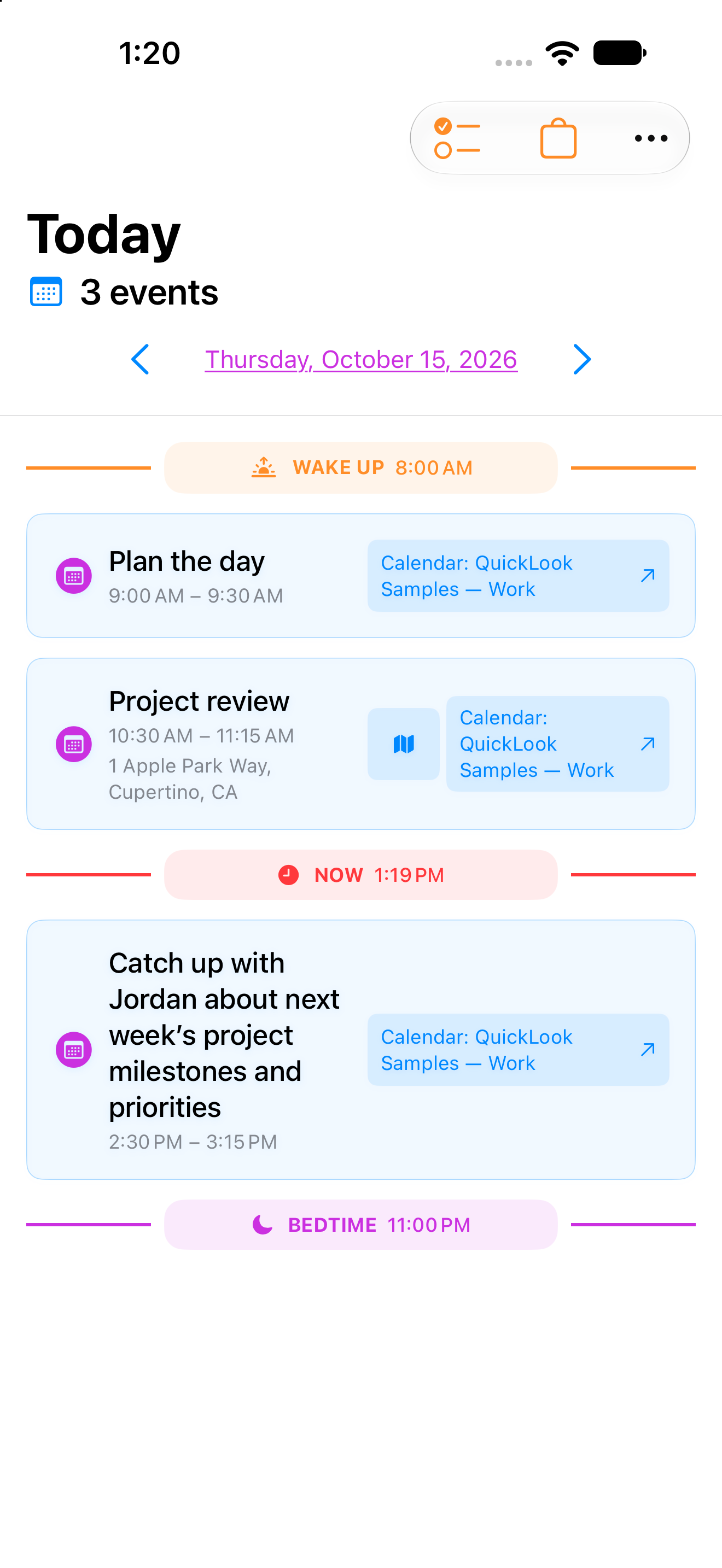
Browse yesterday or tomorrow, then tap the date to return to today. Tap an event to view its details, edit it when available, or open its day in Calendar.
 QuickLook Today
QUICKLOOK TODAY FOR IPHONE
Calendar events, reminders, and shopping lists. A little less searching. A little more convenience.
App Store availability will be announced here.
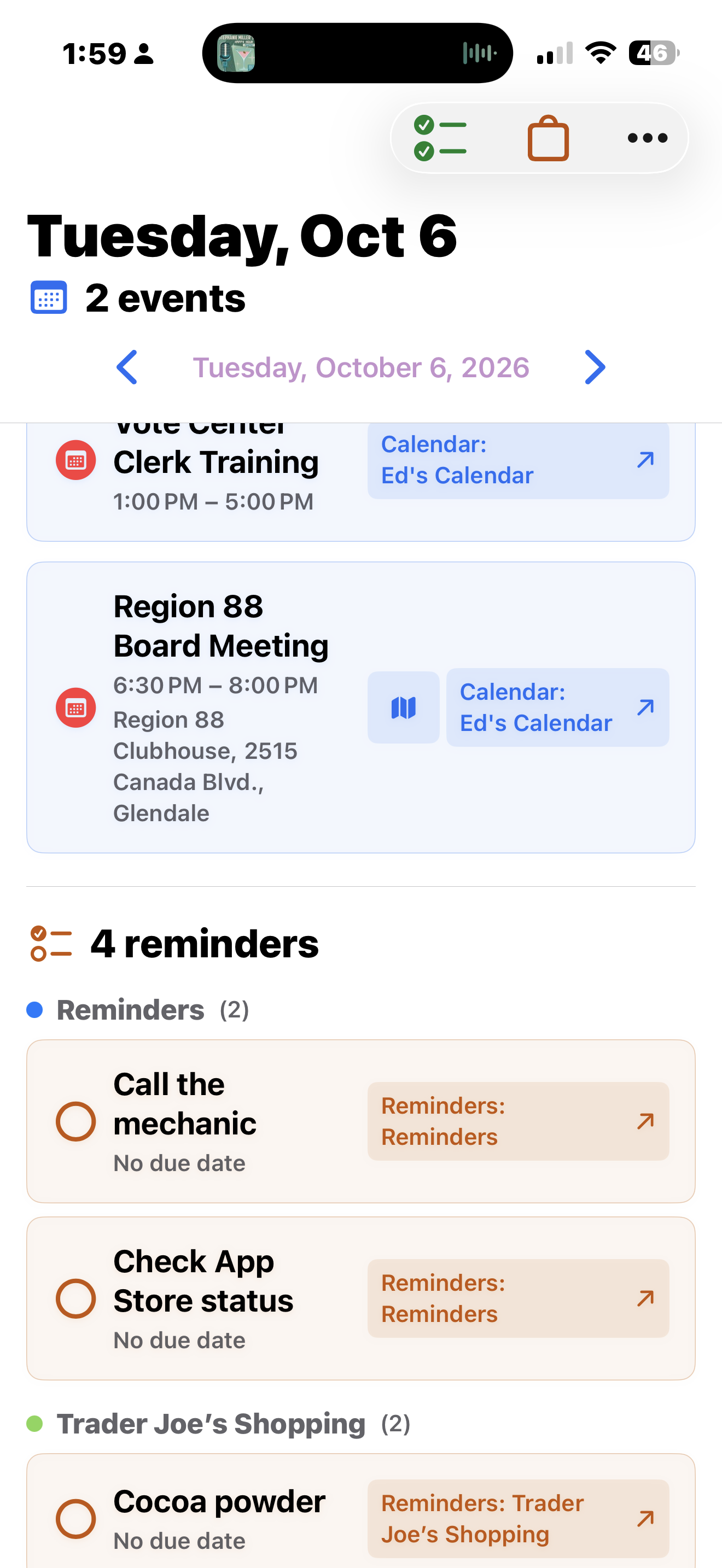
Hover or tap the screenshot’s features to explore.
EVERYDAY
Browse yesterday or tomorrow, then tap the date to return to today. Tap an event to view its details, edit it when available, or open its day in Calendar.
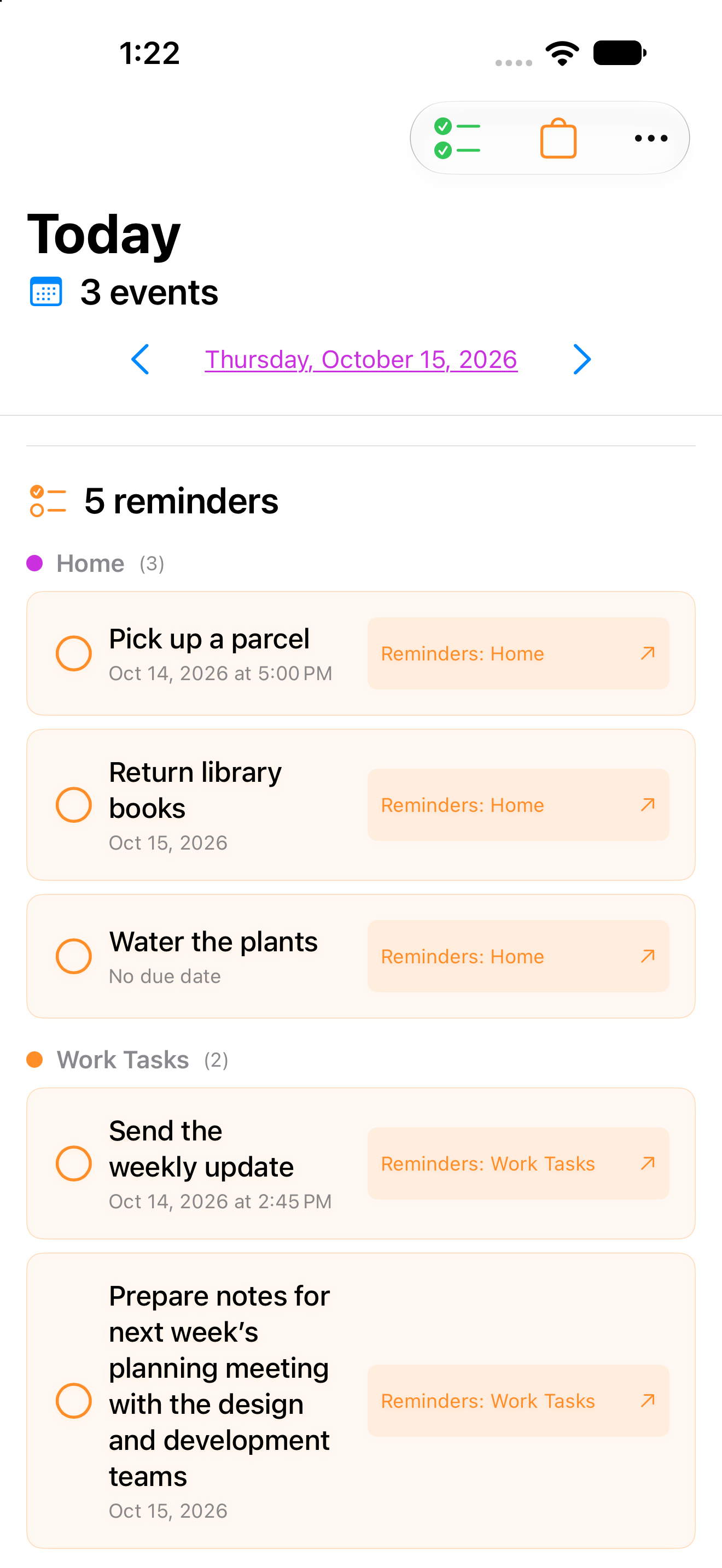
Choose the Reminders lists you want to view, with the events on your calendar.
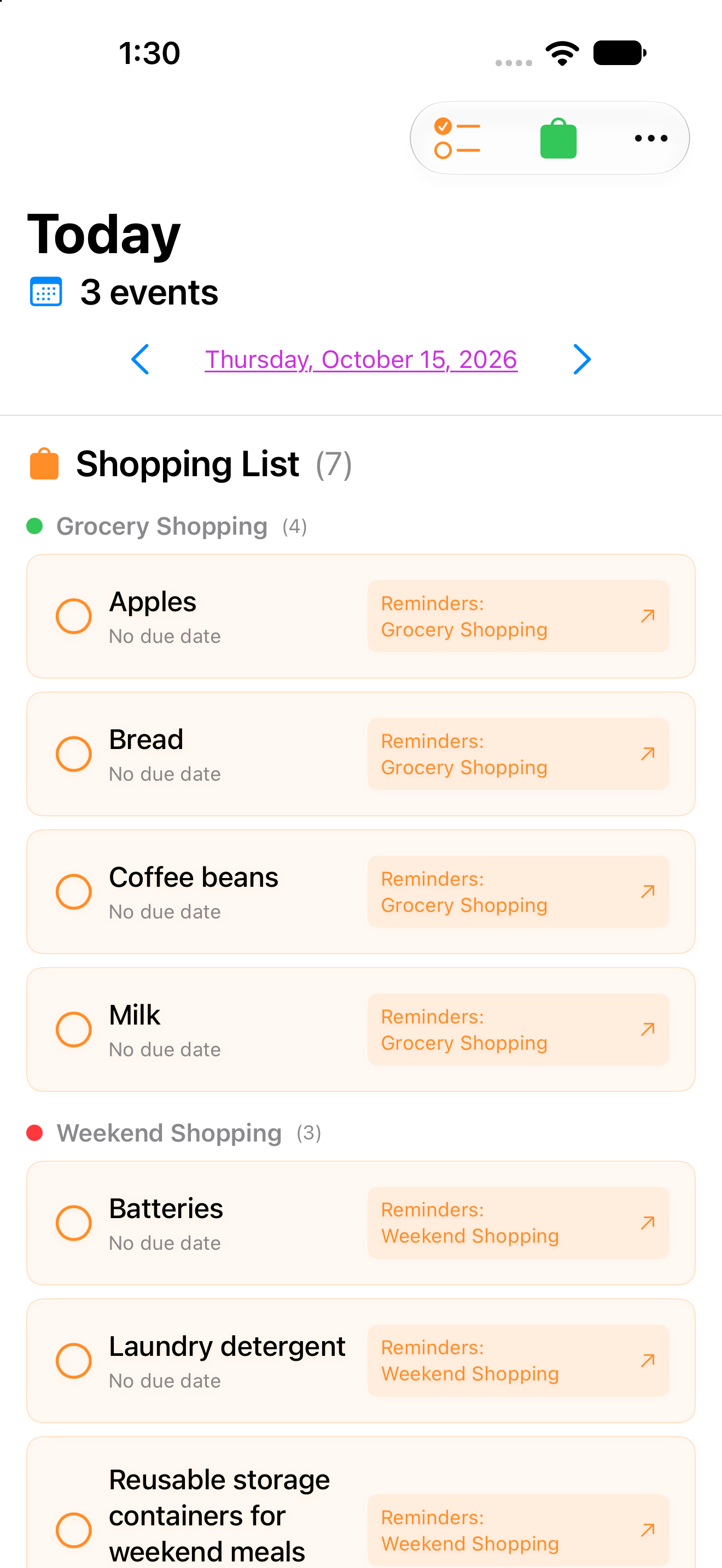
Choose lists from More > Shopping, then tap the shopping bag to view them. The arrow opens Apple Reminders, where you can choose a list and edit items.
Say:
Calendar opens today’s events. Reminders and Shopping show the lists you selected in the app.
If Siri asks which app to use, say “Always use QuickLook Today.”
You can also try “QuickLook” as the app name. Use “QuickLook Today” if Siri is unsure.
To add reminders or shopping items, use Siri with Apple’s Reminders app.
Say:
A LOOK INSIDE
Explore the app’s screens. Select an image for a closer look.
Loading screenshots…
MAKE YOURSELF AT HOME
Start with calendars, reminders, and the everyday details.
Explore the FAQ